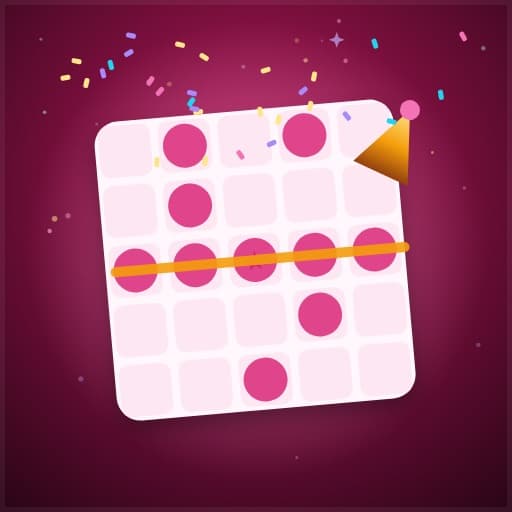
Party Bingo online
Bingo for the party itself: tap the gift, the toast or the ad when it happens, and race to a line.
- Players
- 2–30 players
- Length
- 10–40 min
- Difficulty
- Easy
- Energy
- Calm, on your own screen
- On a video call
- Works well
- Type
- Occasion · Bingo
About Party Bingo
Play Party Bingo online for free with 2–30 players. Bingo for the party itself: tap the gift, the toast or the ad when it happens, and race to a line. Create a room, share the code, and play in a browser with no signup or download.
What playing it feels like
- Made for an occasion — a holiday table, a shower, a gift swap — and the people at it.
- Mostly quiet: the action happens on each player’s own screen.
- Plays well on a video call — the talking happens on camera and the app does the rest.
- Nothing to explain. Start it and go.
Good for
- Groups of 2 to 30
- Big groups, where most games run out of seats
- A proper evening rather than a filler
Maybe skip when
- You only have ten minutes
Party Bingo is bingo where the caller is the party itself. Everyone gets a card of things that are bound to happen at the occasion you are at — a baby shower’s tiny socks and the guess at the due date, a sangeet’s dance-off and the aunty who drags someone onto the floor, a Christmas film’s snow on cue, the big game’s half-time show.
When you see one happen, tap it on your card and it is called for everyone. Nobody has to print a card, find a pen or run the game: the app marks every card, knows exactly when someone has a line, and makes them press BINGO to claim it. A square can only be called once, and one person cannot spam the whole card.
Pick an occasion pack — any party, baby shower, wedding and sangeet, Christmas films, the holiday dinner, the big game, a road trip or Diwali — or add your own squares for the things your family always does. First line wins, then a full card.
How to play Party Bingo
- 1Create a room and share the code. Everyone joins on their own phone; late arrivals can join mid-game.
- 2The host picks the occasion pack (and can add the group’s own squares). Everyone gets a different 5×5 card with a free centre.
- 3When something on your card happens, tap that square. It is called for everyone, and every card that has it is marked.
- 4Complete a row, a column or a diagonal and press BINGO to claim the first line. Then race for a full card.
- 5The host can undo a call that did not really happen. Most bingos wins.
Party Bingo FAQ
How do you play baby shower bingo?
Pick the baby shower pack: the squares are gifts and moments a shower always has — tiny socks, a pack of nappies, someone guessing the due date. As the gifts are opened, whoever spots one taps it, and every card that has it is marked.
Do I need to print bingo cards?
No. Every guest gets their own card on their phone, and the app marks it, so nobody needs a printer, a pen or a caller.
Can we add our own squares?
Yes. The host can type the group’s own squares before the start — the uncle’s favourite joke, the cousin who is always late — and they go onto the cards with the pack.
What if someone taps a square that did not happen?
The host can undo the last call. And each player can only call one square every few seconds, so one person cannot fill their own card.
Is Party Bingo the same as Meeting Bingo?
It is the same engine with party squares instead of meeting buzzwords. Meeting Bingo is the office version, for a real video call.
Ready to play Party Bingo?
Create a room, share the code, and start in seconds — free.
From the blog
More icebreaker games

Trivia
Race to answer questions across all topics.
- Call friendly

Dumb Charades
Act out the movie. No words allowed!
- Call friendly
- High energy
Would You Rather
Vote on impossible choices and compare answers.
- Quick
- Call friendly
Tambola
Housie with auto-called numbers and instant claim checks.
- Call friendly
- High energy